

Published
This video shows how to use textures to drive material parameters. It also shows how to use procedural textures in Rhino to do the same, which does not require any image files. More info: http://nvda.ws/29oRNBN

Be the first to comment
Up Next
Autoplay
-
01:37

Docking and Restoring Your Iray Toolbar in Rhino
-
07:13
Physical Lighting in Iray for 3ds Max
-
03:10
Using Textures to Drive Material Parameters in Iray for Rhino
-
03:01
Assigning and editing materials in Iray for Rhino
-
02:02
GTC 2021 Virtual Kitchen Tone Poem
-
07:31
First Steps with Iray for Maya
-
02:57
Mixing & Blending Materials in Iray for Rhino
-
02:56
Depth of Field in Iray for 3ds Max
-
01:23
Iray for Rhino - Assigning Materials to Layers
-
02:57
Understanding the Viewport Control Settings in Iray for Rhino
-
01:31
Interactive Visualization of High-Resolution, Global-Scale Climate Data in the Cloud
-
02:20
Generating Potential Accident Scenarios for Autonomous Vehicles Using AI - NVIDIA DRIVE Labs Ep. 27
-
00:34

NVIDIA GTC 2023 Keynote Teaser
-
02:13

Experience Hospitality Design on CloudXR with AWS
-
1:17:52

GTC 2023 Keynote with NVIDIA CEO Jensen Huang
-
02:48
BMW Group Celebrates Opening the World's First Virtual Factory in NVIDIA Omniverse
-
02:31

NVIDIA Omniverse Foundational Technology Montage I GTC Spring 2023 Edition
-
02:03
Amazon Robotics Deploys First Fully Autonomous Robot With NVIDIA Isaac Sim
-
02:04
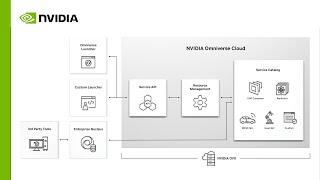
Easily Scale and Unify Industrial Digitalization With NVIDIA Omniverse Cloud
-
03:14

I AM AI | NVIDIA GTC 2023 | Official Keynote Intro